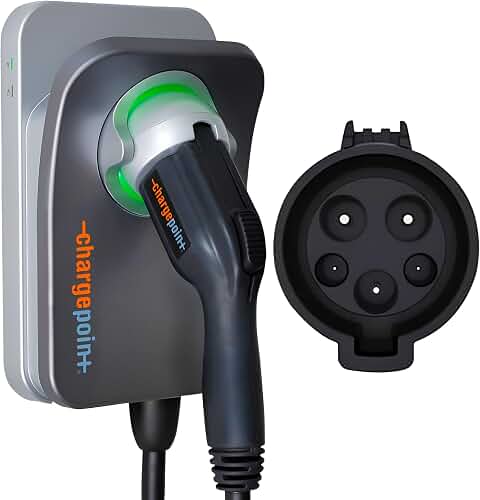
Specifications
| Spec | ChargePoint HomeFlex (hardwired J1772) | ChargePoint HomeFlex (hardwired NACS) | ChargePoint HomeFlex (6-50 plug) | ChargePoint HomeFlex (14-50 NACS) |
|---|---|---|---|---|
| Price | $494.00 | $494.00 | $639.00 | $449.40 |
| Connector | J1772 | NACS (Tesla) | J1772 | NACS (Tesla) |
| Install type | Hardwired | Hardwired | NEMA 6-50 plug | NEMA 14-50 plug |
| Circuit required | Not stated | 20A or 80A | 50A | 40A or 50A |
| Max charge rate | Not stated | Up to 45 mi/hr | Up to 45 mi/hr | 30 mi/hr |
| Vs. 120V outlet | Not stated | 9× faster | 9× faster | Up to 7× faster |
| Safety listing | UL certified | UL certified | UL certified | UL certified |
| App | ChargePoint Mobile App | ChargePoint Mobile App | ChargePoint Mobile App | ChargePoint Mobile App |
| Indoor/outdoor | Both (electrician install) | Both (electrician install) | Both (electrician install) | Both |
| Cable length | Not stated | Not stated | Not stated | Not stated |
| Warranty | Not stated | Not stated | Not stated | Not stated |
Quick answer: The ChargePoint Home Flex is a UL-certified Level 2 home charger that pairs a well-known app and a 274k+ station network with adjustable amperage, so it fits a 20A circuit in a rented condo or an 80A feed in a new build. It costs $494.00 for the hardwired J1772 version — roughly double the budget competition — and you're paying for the app ecosystem, the cold-resistant cable and 24/7 support rather than raw charging speed. If you want a set-and-forget charger from a brand that will still exist in five years, it earns the premium; if you just need electrons in the battery overnight, cheaper hardware does the same job.
What you're actually buying
The Home Flex line is one charger sold in four configurations, and picking the wrong one is the single most common way people waste money here.
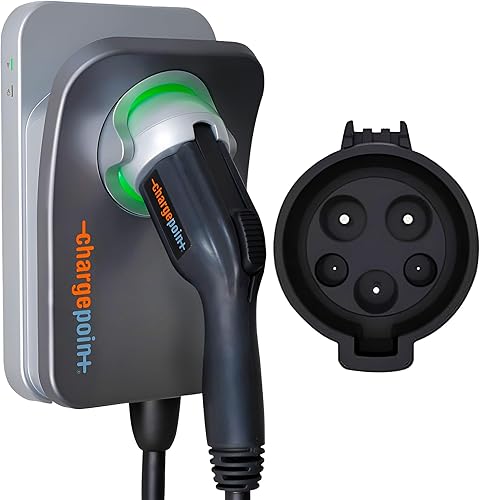
The ChargePoint HomeFlex Level 2 EV Charger J1772 - Fast Smart Battery Power Charging at Home for Electric Automobile Vehicles - Hardwired for Electric Car is the hardwired J1772 unit at $494.00 — no plug, no outlet, an electrician wires it directly into your panel. That's the version most non-Tesla owners in a house they own should be looking at. It's UL-certified for safe home charging, can be installed indoors or outdoors, and ships with a cold-resistant cable, which matters more than it sounds if you park outside somewhere that hits single digits in January. Frozen charging cables behave like garden hoses in winter.
Finding the right chargepoint home flex ev charger review comes down to matching the features to how you will actually use it.
The "Flex" in the name refers to adjustable amperage. ChargePoint states the hardwired NACS version runs on anything from a 20A to an 80A circuit. That's the real feature: you don't have to size your charger to your panel's ceiling, you dial the charger down to whatever your panel can safely give it. If your electrician comes back and says your service can only spare 20 amps, you don't need a different product.
The app is the other half of the pitch. It handles reminders, connects to smart home devices, finds stations, and surfaces charging data. ChargePoint is explicit that WiFi is needed for certain functionality and for troubleshooting — worth noting if your garage is a dead zone. The network side (274k+ stations across North America and Europe, plus 565k+ roaming partner stations) is genuinely useful if you road trip, because the same account and app works at home and on the interstate.
Who it's for
- You own your home and plan to stay. Hardwiring is cleaner, safer and usually required by code for outdoor installs in some jurisdictions. If you're not moving, hardwire it.
- Your panel is tight. The 20A-to-80A range on the hardwired NACS unit means you can install now and turn the amperage up later if you ever upgrade your service.
- You already use ChargePoint's public network. One app, one account, one charging history. That consolidation is worth real money to people who charge away from home regularly.
- You park outdoors in a cold climate. The cold-resistant cable and the indoor/outdoor rating are the reasons to pay up here.
- You want a brand with 24/7 support. When a charger fails at 11pm before a work trip, having someone to call matters.
Who should skip it
- You're renting, or you move often. Hardwired hardware stays with the house. Get a plug-in unit.
- You need the lowest cost per amp. At $494.00 you are paying a brand premium. Cheaper Level 2 chargers push similar current.
- Your garage has no reliable WiFi. ChargePoint notes WiFi is needed for certain functionalities and troubleshooting. A smart charger you can't reach is just an expensive dumb charger.
- You drive a Tesla and buy the wrong SKU. The J1772 versions need an adapter for Tesla EVs. Buy the NACS version instead and skip the dongle.
- You have a short commute. If you drive 25 miles a day, almost any Level 2 charger refills that overnight. Speed differences are academic.
The honest trade-offs
Price. $494.00 for the hardwired unit and $639.00 for the 6-50 plug version is toward the top of the home charging market. The hardware isn't twice as good as a $200 charger — the app, network and support are what you're funding.
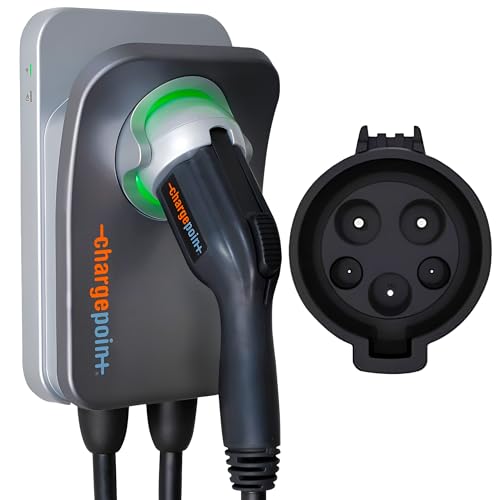
The plug version costs more, not less. The ChargePoint HomeFlex Level 2 EV Charger J1772 - NEMA 6-50 Plug is $639.00, which is $145 above the hardwired J1772 unit. Normally plug-in is the budget option. Here it isn't, so check both prices before you assume.
Install cost is not in the sticker. Every Home Flex variant requires an electrician for indoor or outdoor installation. Depending on how far your panel is from your parking spot, that can add several hundred dollars. Get a quote before you order.
Charge rate depends on your car. ChargePoint's up-to-45-mi/hr figure is explicitly stated as dependent upon your vehicle. If your EV's onboard charger caps at 7.2kW, a bigger circuit buys you nothing.
Specs the listing doesn't state. Cable length and warranty terms aren't in the product data here. Both matter. Confirm them on the listing.
What to check on the listing before you buy
Listings change more often than reviews get updated. Before you click buy:
- Current price. All four figures above are point-in-time. EV chargers swing on promotions.
- The exact variant. Connector (J1772 vs NACS), install type (hardwired vs 6-50 vs 14-50) and circuit requirement are all different SKUs at different prices. The 14-50 NACS unit needs a 40A or 50A circuit; the 6-50 needs 50A; the hardwired NACS spans 20A to 80A.
- Warranty terms. Not stated in the data here — read the listing and ChargePoint's own terms.
- Cable length. Measure from where the charger will mount to your car's port, then add slack for parking backwards.
- Whether your utility offers a rebate. Many do, and some require a specific certified model.
Alternatives worth a look
ChargePoint HomeFlex Level 2 EV Charger, Hardwired NACS Charging Station – Tesla Compatible, Fast Charge Solution for Electric Vehicles — consider instead if…
…you drive a Tesla and don't want to live with an adapter hanging off the handle. The ChargePoint HomeFlex Level 2 EV Charger, Hardwired NACS Charging Station – Tesla Compatible, Fast Charge Solution for Electric Vehicles is the same $494.00 as the hardwired J1772 unit but with a native NACS connector, charging 9× faster than a 120V outlet at up to 45 mi/hr depending on your vehicle. It accepts a 20A or 80A circuit, which is the widest range in this lineup.
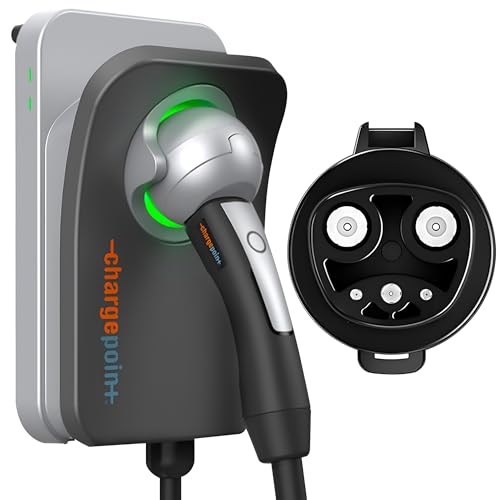
ChargePoint HomeFlex Level 2 EV Charger NEMA 14-50 NACS Plug for Tesla Electric Vehicles - Wall-Mount Fast & Smart Indoor or Outdoor Charging Station for Home, Compatible w/ Tesla Models 3, Y, S & X — consider instead if…
…you're a Tesla owner who wants to unplug and take it with you. The ChargePoint HomeFlex Level 2 EV Charger NEMA 14-50 NACS Plug for Tesla Electric Vehicles - Wall-Mount Fast & Smart Indoor or Outdoor Charging Station for Home, Compatible w/ Tesla Models 3, Y, S & X is the cheapest ChargePoint here at $449.40 and plugs into a 14-50 receptacle on a 40A or 50A circuit. It delivers 30 mi/hr — slower than the hardwired units — but it's the sensible pick for Model 3, Y, S and X owners who might move.
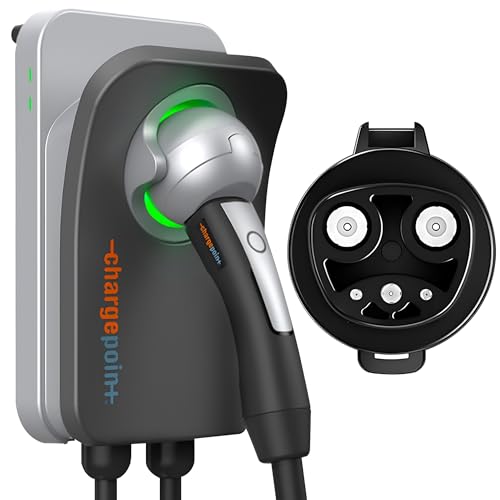
AIMILER Level 2 Electric Vehicle (EV) Charger(WIFI APP/Plug-play), 32A, 25ft Cable ETL Certified, 220V-240V NEMA 14-50P Plug EVSE w/ J1772 Connector, Portable EV Car Charging Stations for Home Level 2 — consider instead if…
…the ChargePoint price makes you wince. The AIMILER Level 2 Electric Vehicle (EV) Charger(WIFI APP/Plug-play), 32A, 25ft Cable ETL Certified, 220V-240V NEMA 14-50P Plug EVSE w/ J1772 Connector, Portable EV Car Charging Stations for Home Level 2 is $199.99, ETL and FCC listed, with a 25ft cable and amperage adjustable from 16A to 32A (up to 7.68kW) across 20A–40A circuits. It has a WiFi app for scheduling and cost tracking, and works plug-and-charge by default. It's J1772, so Tesla owners need an adapter.
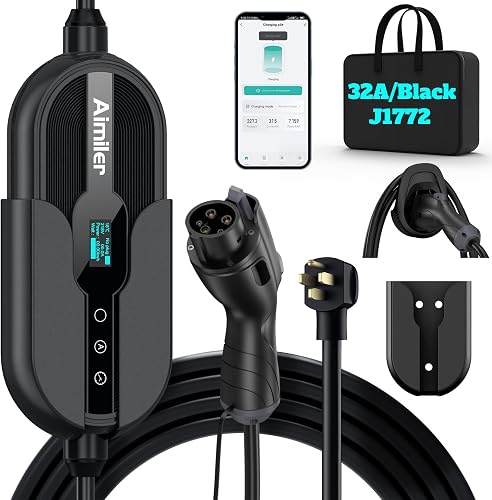
IYILO Level 2 EV Charger, 40Amp/9.6KW/240V, NEMA 14-50P, Wi-Fi(2.4 GHz) — consider instead if…
…you want more current for less money. The IYILO Level 2 EV Charger, 40Amp/9.6KW/240V, NEMA 14-50P, Wi-Fi(2.4 GHz) is $332.99 and delivers up to 38 miles of range per hour at 40A (9.6kW) hardwired on a 50A breaker, adjustable in 1A steps from 6A to 40A. It's ETL and Energy Star certified with a built-in GFCI breaker, NEMA 4 waterproof rating, 25ft cable, and an NTC sensor that halts charging above 221°F. It's listed on several utility program portals including ComEd, PSEG and Georgia Power. Note it only supports 2.4GHz WiFi.
FAQ
Do I need an electrician to install the ChargePoint Home Flex? Yes. ChargePoint states the unit is installed indoors or outdoors by an electrician. Even the plug-in versions require a properly installed 240V receptacle on the right circuit — 50A for the 6-50, 40A or 50A for the 14-50.
Will the J1772 version work with my Tesla? Only with an adapter. ChargePoint states the 6-50 J1772 unit requires an adapter for Tesla EVs. If you drive a Tesla, the NACS versions are the cleaner buy.
Does it need WiFi to charge my car? ChargePoint notes WiFi is needed for certain functionalities and for troubleshooting steps if connectivity issues arise. Confirm signal strength at your parking spot before committing to a smart charger.
Is it actually reliable? That's the question to answer yourself. Go read the current owner reviews on the listing — filter to the most recent ones and to your specific variant, since the hardwired and plug-in versions get different feedback. Reliability reports also shift after firmware updates, so recent reviews are worth more than old ones.
Related guides
- Best car diagnostics, charging and accessories - OBD2 scanners, car battery jump starters, EV chargers and portable car battery chargers with Limited History
- Best car diagnostics, charging and accessories - OBD2 scanners, car battery jump starters, EV chargers and portable car battery chargers with Past Challenges
- FAQ: Best car diagnostics, charging and accessories - OBD2 scanners, car battery jump starters, EV chargers and portable car battery chargers
Key Takeaways
- Choosing the right chargepoint home flex ev charger review means matching the key features to your specific needs and budget
- Read real customer reviews and check the return policy before you commit
- Compare value across models — the priciest option is not always the best fit