What goes wrong
| Failure | Symptom | Fix |
|---|---|---|
| Plugged into a dryer outlet | Won't seat, or trips instantly | You need a NEMA 14-50 installed on its own circuit — not a 14-30 |
| Breaker trips mid-charge | Charging stops after 10–40 minutes | Amperage set above what the circuit supports; dial the charger down (most units adjust from 16A up, IYILO in 1A steps from 6A) |
| Charger won't join WiFi | App never finds the device | Router is broadcasting 5GHz; force 2.4GHz for pairing, then run a factory reset on the unit |
| Buttons don't respond | Screen lit, taps do nothing | On the NexCyber and AIMILER units the connector must be unplugged before touch controls respond |
| Wrong connector | Handle won't latch into the port | You need the adapter — J1772-to-NACS for Tesla-style ports, or a J1772 adapter for a NACS charger. Not included with any unit here |
| Slower than expected | Miles-per-hour well below spec | Plug-in units cap lower than hardwired: 40A vs 48A on the NexCyber |
Quick answer: Installing a Level 2 EV charger at home means putting a dedicated 240V circuit in your panel and mounting a charger on it — either a NEMA 14-50 outlet you plug into, or a hardwired unit. Plan on a licensed electrician for the circuit (code requires it in most jurisdictions), and expect the panel capacity check, not the charger, to be the thing that decides your amperage. Budget the charger separately from the install; the wiring run is usually the bigger variable.
The install, step by step
1. Check your vehicle's connector before anything else. North American EVs are split between J1772 and NACS (Tesla-style). Most non-Tesla EVs and PHEVs use J1772. Newer models — the Kia EV6 2025, EV9, 2025 Ariya and 2025 Ioniq 5 — ship with NACS. Adapters exist in both directions but are almost never included in the box. Gotcha: people order a J1772 unit for a Tesla and discover the adapter is a separate purchase.
2. Open your panel and count amps, not slots. An empty breaker slot doesn't mean you have capacity. A 40A charger needs a dedicated 50A circuit; a 48A charger needs a dedicated 60A. Some units go further — the EVIQO 48A model can be set via DIP switches to 50A output, which then requires a dedicated 70A circuit. Gotcha: older 100A service homes frequently can't carry a 60A EV circuit alongside an electric range and dryer without a load calculation or a load-management device.
Finding the right how to install level 2 ev charger home comes down to matching the features to how you will actually use it.
3. Decide plug-in vs. hardwired now, not later. Plug-in means a NEMA 14-50 outlet and a charger that plugs into it — easier to swap, easier to take with you. Hardwired means the charger is permanently wired to the circuit and is generally what you need for the full 48A. Gotcha: a NEMA 14-50 is an RV/range-style 4-prong outlet. It is not a dryer outlet (NEMA 14-30 or 10-30). They are not interchangeable and no adapter makes it safe.
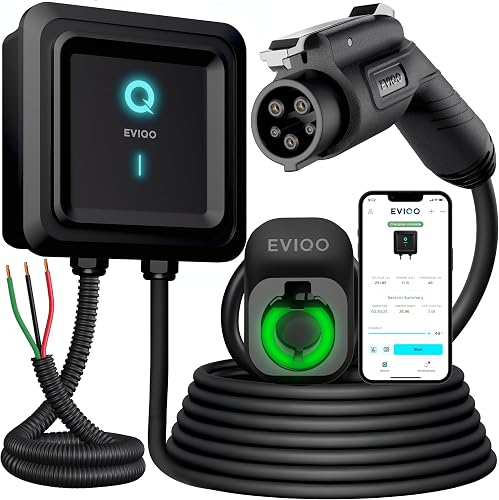
4. Get the wire gauge right. For 40–48A charging, the input side should be no smaller than 8AWG, and 6AWG is the safer spec — NexCyber recommends three 6AWG conductors for a 48A hardwired run. This is electrician territory, not a guess-and-hope decision.
5. Pick the mounting spot with the cable in mind. Measure from the charger location to your car's charge port with the car parked how you actually park it — including backed in vs. nosed in, and including the second car if you ever swap. A 25ft cable sounds generous until it has to cross a two-car garage diagonally.
6. Confirm the enclosure matches the location. Outdoor or unheated garage means you want a weather-rated enclosure. The EVIQO units are built into an IP66/NEMA-4 enclosure. ChargePoint's HomeFlex is UL-certified for indoor or outdoor installation by an electrician and includes a cold-resistant cable.
7. Sort out WiFi before you mount it. Nearly every smart charger here is 2.4GHz only — IYILO explicitly does not support 5GHz, and AIMILER suggests temporarily switching a dual-band router to 2.4GHz-only for the first pairing. Gotcha: garages and basements are where WiFi dies. Check signal at the mounting spot first.
8. Pull the permit and get it inspected. Your electrician usually handles this. It also matters for utility rebates — IYILO notes it's listed on utility portals including ComEd, PSEG (NJ), PSEG-LI, Seattle City Light, Salt River Project, Portland General Electric, Oregon DOT, and Georgia Power. Check whether your utility requires a listed charger and a permit copy before you buy.
Spec and compatibility table
| Product | Connector | Max amps | Connection | Cable | Price |
|---|---|---|---|---|---|
| ChargePoint HomeFlex Level 2 EV Charger | J1772 | Not stated | Hardwired | Cold-resistant, length not stated | Check price on Amazon |
| EVIQO Level 2 EV Charger J1772 40A NEMA 14-50 | J1772 | 40A (50A circuit) | Plug-in NEMA 14-50 | Not stated | Check price on Amazon |
| NexCyber Level 2 EV Charger 48A | J1772 | 48A hardwired / 40A plug-in | Either | 25ft | Check price on Amazon |
| EVIQO Level 2 EV Charger J1772 48A Hardwired | J1772 | 48A (60A circuit), 50A via DIP | Hardwired | Not stated | Check price on Amazon |
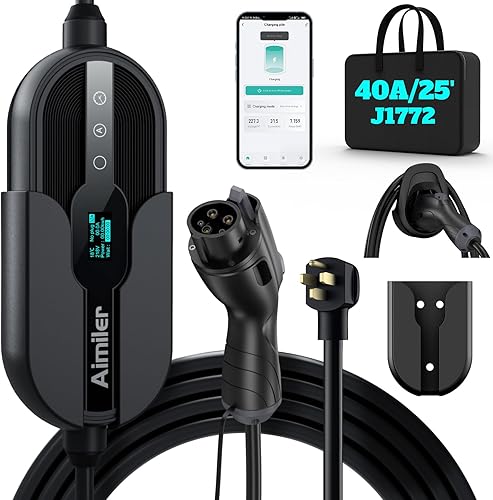
| AIMILER Level 2 EV Charger 40A | J1772 | 40A (20A–50A circuit) | Plug-in NEMA 14-50 | 25ft | Check price on Amazon |
| IYILO Level 2 EV Charger for Tesla 48A | NACS (J3400) | 48A / 11.5kW (60A circuit) | Hardwired | 25ft | Check price on Amazon |
When the fix is a new one
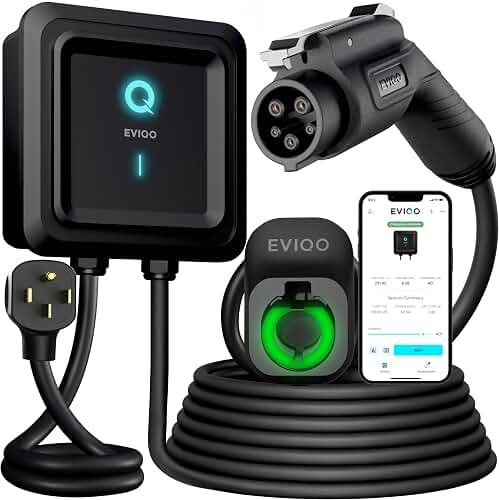
EVIQO Level 2 EV Charger J1772 40A NEMA 14-50 - 240V Wall Charging Station — for when the 14-50 outlet already exists
If a previous owner or an RV left you a proper NEMA 14-50 on a 50A circuit, this plug-in unit skips the hardwiring step entirely. UL/ETL/FCC/Energy Star certified, IP66/NEMA-4 enclosure, and app control from 6–40A over 2.4GHz. $395.99.
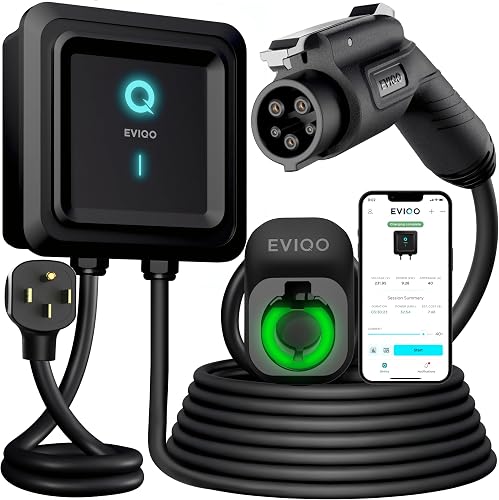
EVIQO Level 2 EV Charger J1772 48A - Hardwired 240V Wall Charging Station — for panels with real headroom
The hardwired sibling. 48A on a dedicated 60A circuit, with DIP switches at positions 4 and 5 unlocking 50A if you have a 70A circuit. Licensed electrician required per NEC. $428.99.
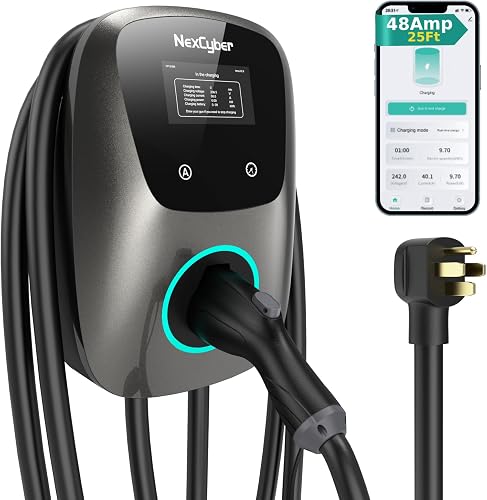
NexCyber Level 2 EV Charger(WiFi APP/Plug-Play), 48A Nema 14-50p, 25ft Cable ETL Certified, Home Level 2 EVSE Car Charger w/ J1772 Connector, Electric Vehicle Charging Stations (46) — for hedging between plug-in and hardwired
Runs 48A hardwired (up to 46 mi/hr) or 40A on the NEMA 14-50 plug (up to 38 mi/hr), so you can start plug-in and hardwire later. Touchscreen works without the app; adjustable 16–48A. ETL, FCC and Energy Star certified with a 3-year warranty. $259.99.
AIMILER Level 2 Electric Vehicle (EV) Charger(WiFi APP/Plug-Play), 40A, 25ft Cable ETL Certified, 220V-240V NEMA 14-50P Plug EVSE w/ J1772 Connector, Portable EV Car Charging Stations (Jet) — for a smaller breaker
Steps down cleanly: 40A on a 50A breaker, 32A on a 40A, 24A on a 30A — useful when the load calculation comes back tight. Up to 9.6kW, 25ft cable, ETL and FCC listed. $209.99.
ChargePoint HomeFlex Level 2 EV Charger J1772 - Fast Smart Battery Power Charging at Home for Electric Automobile Vehicles - Hardwired for Electric Car — for cold climates and network access
UL-certified, installable indoors or outdoors by an electrician, with a cold-resistant cable. The app ties into a network of 274k+ stations across North America and Europe plus 565k+ roaming partners, with 24/7 support. $494.00.
IYILO Level 2 EV Charger for Tesla, 48Amp/11.5KW/240V, UL/ETL/Energy Star — for a native Tesla-style plug
Native NACS connector, so no adapter for a Tesla or other J3400 vehicle (J1772 cars need an adapter instead). 48A/11.5kW hardwired on a 60A breaker, with an NTC sensor in the connector that throttles or cuts power above 221°F. $379.97.
FAQ
Can I install a Level 2 charger myself? The charger mounting, yes. The 240V circuit, almost never — hardwired units like the EVIQO 48A explicitly require a licensed electrician per the National Electrical Code, and unpermitted work can void insurance.
Do I need a 60A breaker? Only for 48A charging. A 40A charger runs on a dedicated 50A circuit, and units like the AIMILER can be dialed to 24A on a 30A breaker.
Will a J1772 charger work with a Tesla? With a J1772-to-NACS adapter, which isn't included with any of these. Going the other way, the IYILO's NACS connector needs a J1772 adapter for non-Tesla cars.
Should I trust the star ratings? Read them yourself, and sort for the recent one-star reviews specifically — that's where install and WiFi complaints show up.
Related guides
- Privacy Policy
- Get a Best car diagnostics, charging and accessories - OBD2 scanners, car battery jump starters, EV chargers and portable car battery chargers Quote
- Best Options for Best car diagnostics, charging and accessories - OBD2 scanners, car battery jump starters, EV chargers and portable car battery chargers
Key Takeaways
- Choosing the right how to install level 2 ev charger home means matching the key features to your specific needs and budget
- Read real customer reviews and check the return policy before you commit
- Compare value across models — the priciest option is not always the best fit