Specifications at a glance
| Model | Price | Systems it reads | Live data | Screen | Protocols stated | Other specs |
|---|---|---|---|---|---|---|
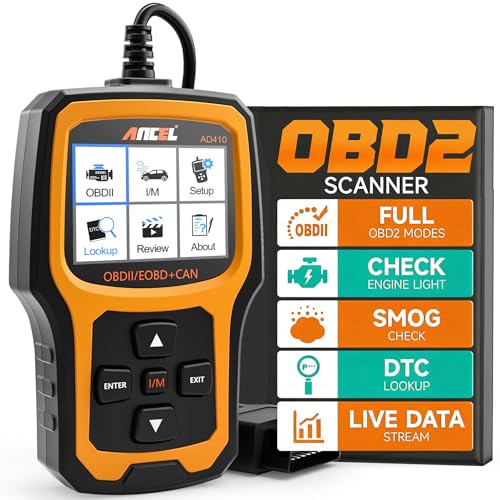
| ANCEL AD410 | Check price on Amazon | Engine / OBD2 only | Yes (RPM, coolant temp, fuel trim, O2) | Not stated | CAN, ISO9141, KWP2000, J1850 VPW, J1850 PWM | 42,000+ built-in DTC lookups; O2 sensor test, EVAP test, I/M readiness, freeze frame, MIL status |
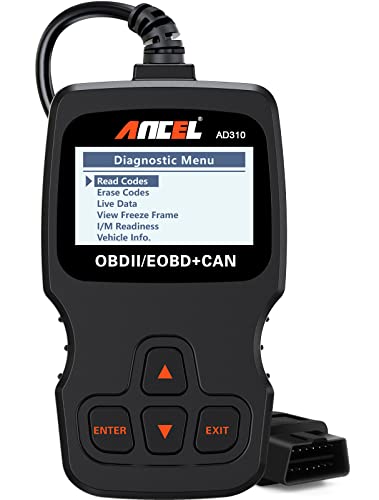
| ANCEL AD310 | Check price on Amazon | Engine / OBD2 only | Yes, plus hard memory data | "Large", size not stated | CAN, ISO9141, KWP2000, J1850 VPW, J1850 PWM | 12 oz; 8.9 x 6.9 x 1.4 in; 2.5 ft cable |
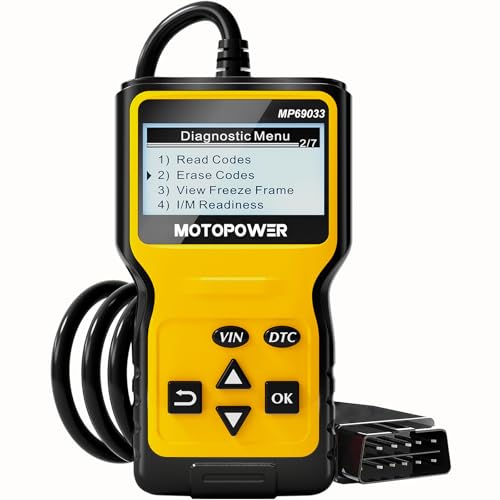
| MOTOPOWER MP69033 | Check price on Amazon | Engine / OBD2 only — ABS/airbag/oil light not supported | Yes, with real-time curve | 2.8" LCD, white backlight | 9 protocols (not individually listed) | 6 languages; 2.5 ft cable; 6 buttons incl. VIN shortcut |
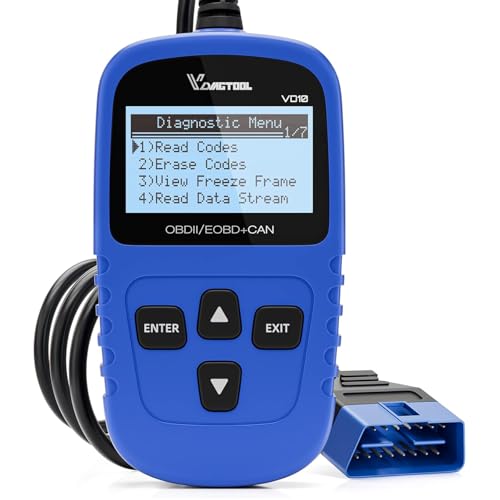
| VDIAGTOOL VD10 | Check price on Amazon | Engine / OBD2 only | Yes (RPM, intake air temp, fuel trims, misfire data) | TFT, size not stated | "All OBDII protocols" | 3,000+ code database; freeze frame; I/M readiness |
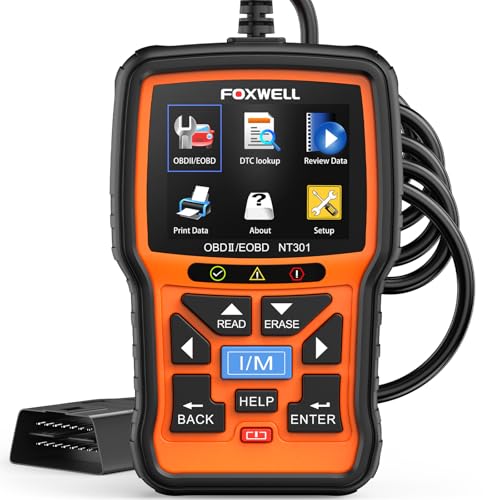
| FOXWELL NT301 | Check price on Amazon | Engine / OBD2 only — no ABS, SRS, EPB, A/C | Yes, graphed and logged | Not stated | CAN, ISO9141, KWP2000, J1850 VPW, J1850 PWM | O2 sensor test, EVAP leak monitor, VIN retrieval |
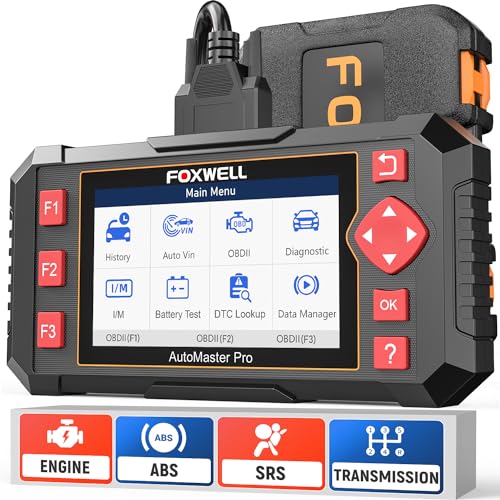
| FOXWELL NT604 Elite | Check price on Amazon | Engine, ABS, SRS, transmission | Yes, live data stream | Not stated | Not stated | AutoVIN; 60+ brands; lifetime updates; hard protective case |
Quick answer: For most drivers, a plug-in handheld code reader in the $20–$60 range is enough — it reads and clears check-engine codes, shows live sensor data, and tells you whether your car will pass a smog check. You only need to spend more when you want ABS, airbag (SRS) and transmission codes too, which is where something like the FOXWELL NT604 Elite comes in. Below is how the common options differ and which one matches how you actually use a car.
The one thing that decides your budget
Cheap scanners read the engine/emissions side of OBD2 only. That is the standardised part every 1996+ US car must expose, which is why a $16 tool and a $56 tool can both read your check-engine light.
ABS, airbag and transmission codes are manufacturer-specific, not part of that standard. Reading them requires extra software licensing per brand — that's the real reason the FOXWELL Car Scanner NT604 Elite OBD2 Scanner ABS SRS Transmission costs $139.99 while the engine-only tools sit under $60. Both FOXWELL NT301 and MOTOPOWER's listing say plainly that ABS/SRS are not supported, and that honesty is worth more than a vague "full diagnostics" claim.
The best obd2 scanner buying guide for your situation depends on how you plan to use it and where.
So: ask yourself which warning light is actually bothering you. Check engine any tool here works. ABS or airbag light the sub-$60 tools will not see it, full stop.
ANCEL AD410 Enhanced OBD2 Scanner — the sensible middle
If you want one recommendation to stop thinking about, the ANCEL AD410 Enhanced OBD2 Scanner, Vehicle Code Reader for Check Engine Light, Automotive OBD II Scanner Fault Diagnosis, OBDII Scan Tool for All OBDII Cars 1996+, Black/Yellow at $38.96 covers the full standard OBD2 function set — read/clear codes, live data, freeze frame, I/M readiness, O2 sensor test, EVAP test, vehicle info and MIL status — with a 42,000+ code definition database on board so you're not googling "P0420" in a parking lot.
Who it's for
- You own a 1996-or-newer US car (or a 2000-or-newer European/Asian one) and the check engine light just came on.
- You want to know whether it's a $30 gas cap problem or a $1,200 catalytic converter problem before a shop tells you.
- You have a smog or emissions inspection coming and want to confirm your monitors have reset after a repair or battery disconnect. The I/M readiness function on every tool here exists exactly for this, and one avoided retest fee roughly pays for the tool.
- You want live data — watching coolant temp, fuel trim and O2 readings while the engine runs is how you catch problems a stored code won't show.
Who should skip it
- Anyone chasing an ABS or airbag light. None of the engine-only readers here will help. Go straight to the NT604 Elite or a shop.
- Anyone with a pre-1996 vehicle. OBD2 didn't exist yet; these tools have nothing to plug into.
- Anyone expecting the tool to fix things. FOXWELL's own listing puts it bluntly: it's a diagnostic tool, not a repair tool. Clear a code without fixing the fault and the light returns.
- Anyone wanting service resets or bidirectional control — actuator tests, oil-life resets, EPB retraction, injector coding. NT301 and NT604 Elite both state they don't do special functions or relearns. That's a different, pricier class of tool.
- Phone-first people. Every device here is a wired handheld with its own screen. If you'd rather see graphs on a phone, a Bluetooth dongle is a different product category.
Honest trade-offs
Cheap doesn't mean bad, it means narrow. The VDIAGTOOL VD10 lists a ~3,000-code database against the AD410's 42,000+. You'll still get the code number either way; the difference is whether the definition appears on screen or you have to look it up.
"Supports all OBD2 protocols" is a claim worth verifying. ANCEL and FOXWELL list the five specific protocols (CAN, ISO9141, KWP2000, J1850 VPW, J1850 PWM). MOTOPOWER says nine protocols without naming them. Vaguer is not automatically worse, but specifics are easier to check against your car.
More capability means more menus. The NT604 Elite's AutoVIN is genuinely convenient, but FOXWELL notes it may fail on older vehicles or certain brands, leaving you to enter the VIN or pick the model manually.
Corded is a feature, not a limitation. None of these need batteries or charging — they draw power from the OBD2 port. That also means a 2.5-foot cable (AD310, MP69033) determines how far you can sit from the port while reading.
What to check on the listing before you buy
Listings change constantly, so verify these yourself rather than trusting any article's numbers:
- Current price and which variant is selected. Prices quoted here were accurate at writing. Some product pages bundle colours, kits or "with case" options at different prices under one listing — confirm the box you're adding to cart is the one you want.
- Vehicle compatibility. Every brand here says the same thing in different words: check your specific year, model and VIN before buying. ANCEL's listing explicitly invites you to confirm with customer service first. Do it — function support varies by model even within a compatible year range.
- Warranty and update terms. The NT604 Elite listing advertises lifetime updates with no extra software fee; verify that's still stated on the page you're looking at.
- Go read the recent reviews yourself, filtered to your own make. Compatibility complaints are model-specific and a fresh review from someone driving your car is worth more than any spec sheet.
ANCEL AD310 Classic Enhanced Universal OBD II Scanner — consider instead if…
…you want the simplest possible tool and $9 back. The ANCEL AD310 Classic Enhanced Universal OBD II Scanner Car Engine Fault Code Reader CAN Diagnostic Scan Tool, Read and Clear Error Codes for 1996 or Newer OBD2 Protocol Vehicle (Black) covers codes, live data, hard memory data, freeze frame, I/M readiness and vehicle info at $29.99, with clearly labelled buttons and a thick, flexible 2.5-foot cable. At 12 ounces and 8.9 x 6.9 x 1.4 inches it lives fine in a glovebox.
MOTOPOWER MP69033 Car OBD2 Scanner — consider instead if…
…you want the largest confirmed screen for the money. The MOTOPOWER MP69033 Car OBD2 Scanner Code Reader Engine Fault Scanner CAN Diagnostic Scan Tool for All OBD II Protocol Cars Since 1996, Yellow is $19.99 with a stated 2.8" LCD, contrast adjustment, real-time curve display, six interface languages and a dedicated button for pulling the VIN. Just note its listing's own warning: no ABS, airbag or oil service light.
VDIAGTOOL VD10 OBD2 Scanner — consider instead if…
…you want the cheapest way to stop guessing. At $15.99, the VDIAGTOOL VD10 OBD2 Scanner Code Reader Car Diagnostic Tool Engine Fault Code Reader for Turn Off CEL with Freeze Frame/I/M Readiness for All OBDII Protocol Cars, OBD2 Scanner Diagnostic Tool still does codes, clearing, live data, freeze frame, I/M readiness and vehicle info on a TFT screen, and reads generic plus manufacturer-specific (P1, P3, U1) and pending codes.
FOXWELL NT301 OBD2 Scanner — consider instead if…
…you care about watching data, not just reading it. The FOXWELL NT301 OBD2 Scanner Live Data Professional Mechanic OBDII Diagnostic Code Reader Tool for Check Engine Light logs and graphs live sensor data — O2 sensors, fuel trims, coolant temp, RPM — which makes drifting values and intermittent faults far easier to spot than scrolling numbers. It also runs an EVAP leak monitor and O2 sensor test. Still engine-only: no ABS, SRS, EPB or A/C.
FOXWELL NT604 Elite — consider instead if…
…the light you're chasing isn't the check engine light. The FOXWELL Car Scanner NT604 Elite OBD2 Scanner ABS SRS Transmission adds ABS, SRS and transmission scanning to standard OBD2 across 60+ brands, with AutoVIN, live data stream, DTC library, data playback and print, plus a hard protective case and lifetime updates. Two caveats from its own listing: no reset or relearn functions, and crash-related SRS data can't be cleared.
FAQ
Will clearing the code turn my check engine light off for good? Only if you fixed the underlying fault first. FOXWELL and ANCEL both spell this out — the code returns if the problem is still there. Clearing codes before an emissions test is actively counterproductive, because it also resets your I/M readiness monitors.
Do I need a subscription or extra software? Not for these. They power up from the OBD2 port and work out of the box; the NT604 Elite listing specifically says no extra software fee.
Will one of these work on my diesel truck? FOXWELL states the NT301 works on 12V diesel vehicles equipped with OBD2. For the others, diesel support isn't stated — check compatibility with the seller against your VIN before buying.
Is the extra $100 for ABS and SRS worth it? Only if you'll use it. If your ABS or airbag light is on now, or you work on more than one car, yes. If you're a one-car household troubleshooting a check engine light, that money is better kept for the actual repair.
Related guides
- ChargePoint Home Flex Review: Is It Worth $494?
- The Best Heavy-Duty Jump Starters for Trucks and SUVs
- Editorial Policy: How Voltmere Researches and Reviews Products
Key Takeaways
- Choosing the right obd2 scanner buying guide means matching the key features to your specific needs and budget
- Read real customer reviews and check the return policy before you commit
- Compare value across models — the priciest option is not always the best fit